SaaS Development: Complete Guide to SaaS Software Development
SaaS development is the process of designing, developing, deploying, and maintaining software applications that are delivered to customers over the internet. SaaS stands for Software as a Service, where users can access software through a web browser or application without installing and maintaining the software on their own computers.
Today, businesses across industries are adopting SaaS software because it provides flexible access, centralized data management, automatic updates, scalable infrastructure, and subscription-based pricing options.
From business management software and CRM platforms to accounting systems, healthcare applications, jewellery billing software, inventory management platforms, and communication tools, SaaS applications are becoming an important part of modern business operations.
What Is SaaS Development?
SaaS development refers to the complete software development process used to create cloud-based applications that multiple customers can access through the internet.
Unlike traditional desktop software, SaaS applications are hosted on cloud infrastructure. Customers generally access the application through a browser or mobile application while the SaaS provider manages the infrastructure, application updates, security, backups, and maintenance.
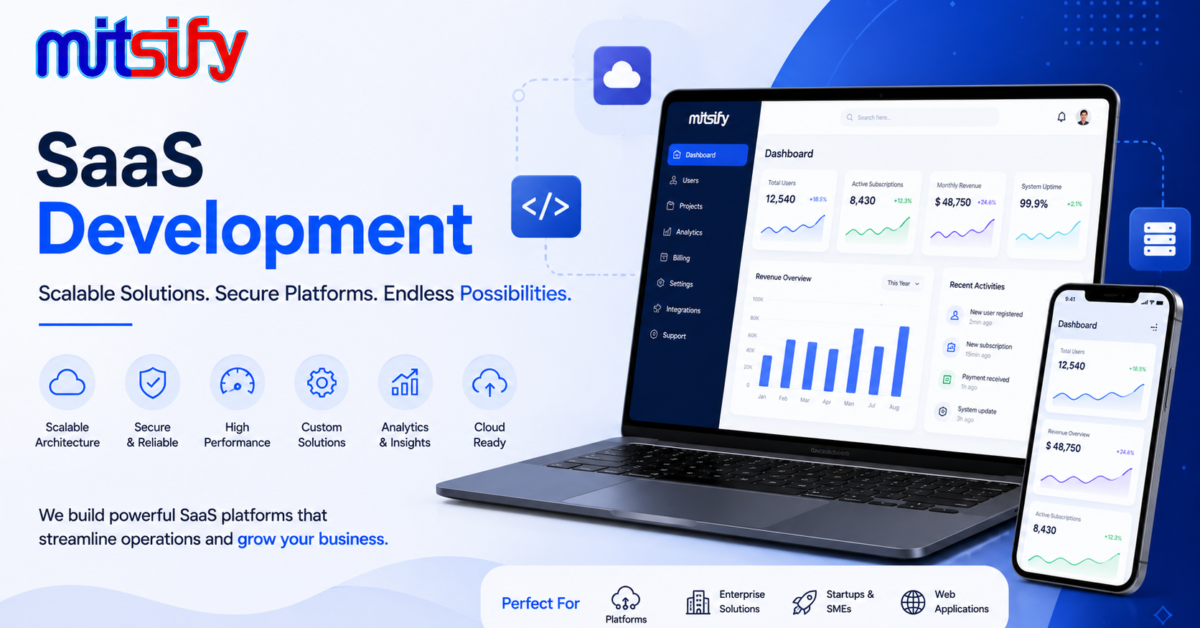
A typical SaaS application may include user registration, login, subscription management, payment integration, dashboards, reports, notifications, role-based access, cloud storage, and third-party integrations.
How Does SaaS Software Work?
A SaaS application usually follows a centralized cloud-based architecture. The application and database are hosted on cloud infrastructure, and customers access the software through the internet.
- The customer creates an account.
- The customer selects a suitable subscription plan.
- The user logs into the SaaS application.
- The application communicates with the cloud server.
- Business data is stored securely in the database.
- The SaaS provider manages updates and infrastructure.
- The customer can access the software from supported devices.
This model allows businesses to use software without managing their own application servers or installing updates manually.
Key Features of SaaS Applications
A successful SaaS application normally includes a combination of business, technical, security, and administrative features.
1. User Registration and Authentication
SaaS applications require secure user registration and authentication. Depending on the application, authentication can include email login, password authentication, OTP verification, two-factor authentication, and social login.
2. Role-Based Access Control
Role-based access allows administrators to control what different users can view or manage.
For example, a business application may have:
- Super Admin
- Admin
- Manager
- Staff
- Customer
3. Subscription Management
Subscription management is one of the most important components of many SaaS platforms. Businesses can create different plans such as monthly, quarterly, or annual subscriptions.
Subscription management may include:
- Free plans
- Trial periods
- Monthly subscriptions
- Annual subscriptions
- Plan upgrades
- Plan downgrades
- Subscription renewal
- Subscription cancellation
4. Online Payment Integration
SaaS applications can integrate payment gateways to automatically collect subscription payments.
Depending on the target market, payment integration may support cards, UPI, net banking, wallets, and international payment methods.
5. Dashboard and Reports
A dashboard provides users with a centralized view of important business information. Reports can help customers understand sales, revenue, inventory, users, transactions, subscriptions, and other operational metrics.
6. Notifications
SaaS applications can provide email, SMS, push, or in-app notifications for important events such as subscription expiry, payments, new orders, password changes, and system alerts.
7. API Integration
APIs allow SaaS applications to communicate with external systems and services.
For example, a SaaS platform may integrate with:
- Payment gateways
- Accounting software
- CRM systems
- Email services
- SMS providers
- Shipping platforms
- Cloud storage services
- Business analytics tools
SaaS Development Process
Developing a SaaS product requires more than simply creating a website. The development process normally includes business analysis, UI/UX design, architecture planning, development, testing, deployment, and continuous maintenance.
Step 1: Business Requirement Analysis
The first step is to understand the business problem that the SaaS product needs to solve.
The development team identifies the target users, business workflows, required features, subscription model, integrations, security requirements, and expected scalability.
Step 2: SaaS Product Planning
After requirements are finalized, the product scope is divided into core modules and future features.
Many businesses start with an MVP (Minimum Viable Product) containing the most important features and then gradually expand the platform based on customer feedback.
Step 3: UI/UX Design
The user interface should be simple, responsive, and easy to understand. SaaS applications often contain dashboards, forms, reports, tables, charts, and multiple modules, so usability is extremely important.
Step 4: SaaS Architecture Design
The architecture determines how the application, database, APIs, authentication system, storage, and cloud infrastructure communicate with each other.
A scalable architecture should be designed so that the application can support increasing numbers of users and transactions.
Step 5: Application Development
Developers build the frontend, backend, database, APIs, authentication, business logic, subscription management, and integrations.
Step 6: Testing
The application should be tested for functionality, security, performance, usability, compatibility, and scalability before production deployment.
Testing may include:
- Functional testing
- API testing
- Security testing
- Performance testing
- Browser compatibility testing
- Mobile responsiveness testing
- Load testing
- User acceptance testing
Step 7: Cloud Deployment
After testing, the SaaS application is deployed to cloud infrastructure. Production deployment should include appropriate security controls, backups, monitoring, logging, and database management.
Step 8: Maintenance and Continuous Improvement
SaaS development does not end after deployment. The application requires regular monitoring, bug fixes, security updates, performance optimization, infrastructure management, and feature improvements.
SaaS Architecture
SaaS architecture describes the technical structure used to build and operate a SaaS application.
A typical SaaS architecture may contain:
- Frontend application
- Backend application
- REST or GraphQL APIs
- Application server
- Database
- Authentication service
- File storage
- Payment service
- Email/SMS service
- Monitoring and logging
- Cloud infrastructure
Multi-Tenant SaaS Architecture
One of the common approaches used in SaaS applications is multi-tenancy. In a multi-tenant system, multiple customers can use the same application infrastructure while their business data and access remain logically separated.
Multi-tenancy can help SaaS providers manage infrastructure efficiently and scale the application as the customer base grows.
Technology Stack for SaaS Development
The technology stack depends on the application’s requirements, team expertise, scalability requirements, integrations, and budget.
Frontend Technologies
- HTML
- CSS
- JavaScript
- React
- Angular
- Vue.js
Backend Technologies
- Node.js
- PHP
- Laravel
- Python
- Java
- .NET
Database Technologies
- MySQL
- PostgreSQL
- Microsoft SQL Server
- MongoDB
- Redis
Cloud Technologies
SaaS applications can be deployed using cloud infrastructure providers such as AWS, Microsoft Azure, Google Cloud, or other suitable hosting platforms.
SaaS vs Traditional Software
| Feature | SaaS Software | Traditional Software |
|---|---|---|
| Installation | Usually accessed online | Usually installed locally |
| Updates | Managed centrally | Often requires manual updates |
| Infrastructure | Cloud hosted | May require local infrastructure |
| Accessibility | Accessible from supported devices with internet | Often limited to installed devices |
| Pricing | Commonly subscription-based | Often license-based |
| Scalability | Designed for cloud scaling | May require additional infrastructure |
Benefits of SaaS Development
1. Access From Multiple Locations
Users can access SaaS applications from different locations and supported devices without installing the complete application locally.
2. Automatic Updates
Because the application is centrally managed, software updates can be deployed by the SaaS provider without requiring every customer to install a new version manually.
3. Scalable Business Model
SaaS products can support subscription-based business models, allowing software companies to offer different plans based on customer requirements.
4. Centralized Data
Business information can be managed centrally, making it easier to maintain data consistency and provide centralized reporting.
5. Faster Product Improvements
SaaS providers can continuously introduce improvements, security updates, integrations, and new features based on customer requirements.
6. Lower Infrastructure Responsibility for Customers
Customers generally do not need to manage the underlying application servers themselves. Infrastructure management is handled by the SaaS provider.
Examples of SaaS Applications
SaaS products are used across many industries and business categories.
- CRM software
- Accounting software
- Project management software
- HR management software
- Inventory management software
- Billing software
- Healthcare software
- Pharmacy management software
- Jewellery billing software
- Education management platforms
- Marketing platforms
- Customer support platforms
SaaS Development for Business Management Software
Businesses can convert traditional business applications into cloud-based SaaS platforms to provide customers with centralized access and subscription-based software services.
For example, billing and inventory software can be developed as SaaS applications where each business receives its own account, users, permissions, products, transactions, reports, and business data.
For businesses looking for specialized billing solutions, you can also explore our Gold Billing Software and Pharmacy Billing Software solutions.
SaaS Security Best Practices
Security is an important part of SaaS application development because the platform may store sensitive customer and business information.
Important security practices include:
- Secure authentication
- Role-based access control
- Data encryption
- Secure API development
- HTTPS implementation
- Database access controls
- Regular backups
- Security monitoring
- Activity logging
- Regular security testing
How Much Does SaaS Development Cost?
The cost of SaaS development depends on the complexity and scope of the application. There is no single fixed price for every SaaS project.
Factors that can influence development cost include:
- Number of features
- UI/UX complexity
- Frontend technology
- Backend technology
- Database architecture
- Number of user roles
- Multi-tenancy requirements
- Payment gateway integration
- Third-party integrations
- Mobile application requirements
- Cloud infrastructure
- Security requirements
- Testing requirements
- Maintenance and support
A simple SaaS MVP may require significantly less development effort than a large enterprise SaaS platform with multiple integrations, advanced analytics, complex workflows, and thousands of users.
How to Choose a SaaS Development Company
Choosing the right development partner is important when building a SaaS product.
Before selecting a SaaS development company, consider the following:
- Previous SaaS development experience
- Technical expertise
- Understanding of cloud architecture
- Experience with APIs and integrations
- Security practices
- UI/UX capabilities
- Testing process
- Post-launch support
- Scalability knowledge
- Communication and project management
It is also useful to review the company’s previous projects and understand how they approach product planning, development, deployment, and ongoing support.
SaaS MVP Development
A SaaS MVP is a minimum viable version of a software product containing the core features required to solve a specific customer problem.
Instead of developing every planned feature at the beginning, businesses can launch an MVP, collect customer feedback, analyze usage, and gradually introduce additional functionality.
A typical SaaS MVP development process may include:
- Identify the target customer.
- Define the primary business problem.
- List essential features.
- Create UI/UX designs.
- Develop the core application.
- Implement authentication and security.
- Deploy the application.
- Collect customer feedback.
- Improve and expand the product.
SaaS Development Trends
SaaS products are continuously evolving as businesses adopt cloud computing, automation, analytics, and artificial intelligence.
Some areas receiving increasing attention in SaaS development include:
- AI-powered SaaS applications
- Automation
- API-first architecture
- Cloud-native development
- Advanced analytics
- Mobile-first SaaS applications
- Low-code and no-code integrations
- Improved cybersecurity
- Personalized user experiences
Why Businesses Choose SaaS Software
Businesses choose SaaS applications because they can provide convenient access to software, centralized management, regular updates, scalable infrastructure, and flexible subscription models.
For software companies, SaaS can also provide a structured way to deliver a product to multiple customers while continuously improving the platform.
Frequently Asked Questions About SaaS Development
What is SaaS development?
SaaS development is the process of building cloud-based software applications that customers can access through the internet, usually using a web browser or application.
What does SaaS stand for?
SaaS stands for Software as a Service.
How is SaaS different from traditional software?
SaaS applications are generally hosted in the cloud and accessed online, while traditional software is commonly installed and maintained on individual computers or local servers.
How long does it take to develop a SaaS application?
The development timeline depends on the application’s complexity, number of features, integrations, UI/UX requirements, security requirements, and development team. A small MVP can take considerably less time than a complex enterprise SaaS platform.
Can SaaS software support multiple businesses?
Yes. SaaS platforms can be designed using multi-tenant or other suitable architectures to support multiple organizations while keeping their business data logically separated.
Can SaaS software have monthly and yearly plans?
Yes. SaaS applications can support monthly, quarterly, annual, or other subscription models depending on the business strategy.
Can payment gateways be integrated into SaaS software?
Yes. Payment gateways can be integrated to support subscription payments, invoices, renewals, upgrades, and other payment workflows.
Can an existing desktop application be converted into SaaS?
In many cases, an existing application can be redesigned or rebuilt as a cloud-based SaaS platform. The required approach depends on the existing application’s architecture, database, workflows, security requirements, and business model.
Is SaaS suitable for small businesses?
Yes. SaaS can be suitable for small businesses because users can access cloud-based applications without managing the underlying software infrastructure themselves.
What technologies are used for SaaS development?
SaaS development can use technologies such as React, Angular, Vue.js, Node.js, PHP, Laravel, Python, Java, .NET, MySQL, PostgreSQL, MongoDB, and cloud platforms such as AWS, Azure, and Google Cloud, depending on project requirements.
How much does SaaS development cost?
SaaS development cost depends on features, complexity, architecture, integrations, security requirements, user scale, and development time. A detailed requirement analysis is normally required to estimate the project accurately.
Conclusion
SaaS development provides a flexible approach to building and delivering modern cloud-based software applications. From subscription management and online payments to multi-tenant architecture, dashboards, APIs, security, and cloud deployment, a SaaS product requires careful planning across both business and technical areas.
Whether you are planning to build a new SaaS product, convert an existing application into a cloud-based platform, or develop customized business management software, selecting the right architecture and development approach is essential for long-term scalability.
If you are planning a SaaS product or customized business software, explore the software solutions available from Mitsify and identify the features that match your business requirements.