Businesses that sell products to other businesses often manage a large number of orders, customers, product variations, and negotiated prices. When these processes depend on phone calls, WhatsApp messages, emails, and spreadsheets, order management can become time-consuming and difficult to scale.
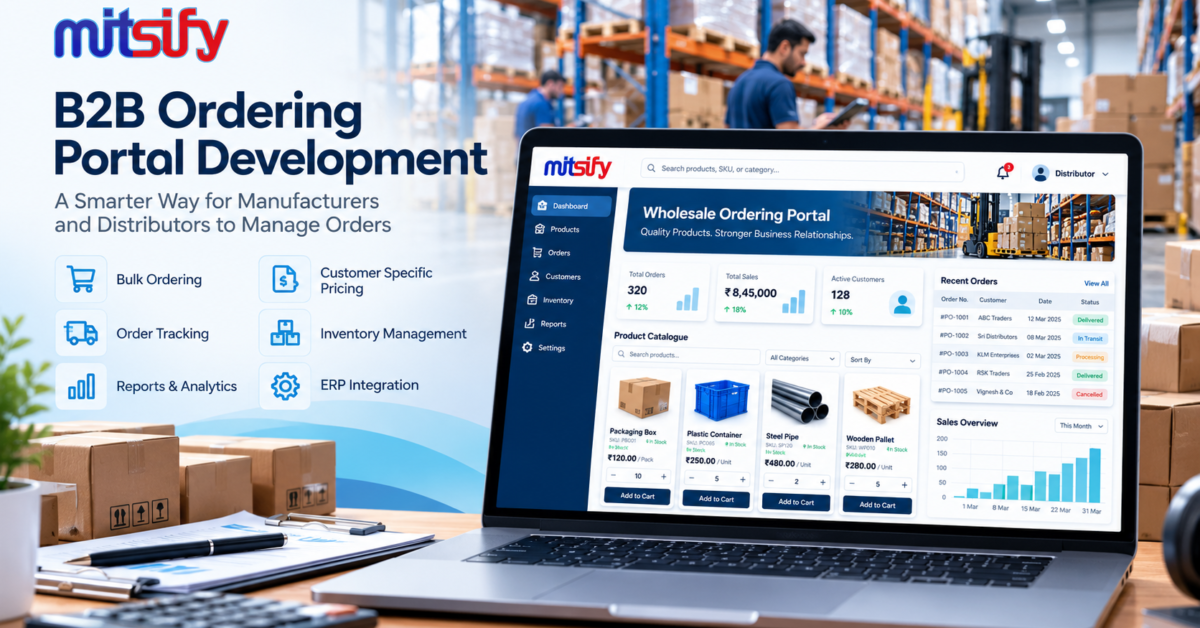
A B2B ordering portal provides a central online platform where business customers can browse products, check their prices, place bulk orders, and track order status. For manufacturers, wholesalers, and distributors, a custom portal can help simplify daily operations and improve the buying experience.
In this guide, we explain what B2B ordering portal development involves, which features businesses should consider, and how to choose the right solution for their requirements.
What Is a B2B Ordering Portal?
A B2B ordering portal is a web-based application that allows businesses to purchase products or services from another business through a dedicated online system.
Unlike a typical consumer e-commerce website, a B2B portal can support business-specific requirements such as bulk ordering, customer-specific pricing, minimum order quantities, credit terms, approval workflows, and repeat purchases.
For example, a manufacturer may supply products to 100 distributors. Instead of receiving every order manually, the manufacturer can provide each distributor with a secure account where they can view their approved products, check applicable prices, submit purchase orders, and monitor deliveries.
The portal can also connect with existing inventory, accounting, ERP, or CRM systems when the required integrations are available.
Why Do Manufacturers and Distributors Need a B2B Ordering Portal?
Traditional ordering methods may work when a business has only a few customers. As the number of customers and orders increases, manual processes can create operational challenges.
1. Too Many Manual Orders
Orders received through phone calls, emails, and messaging applications may need to be entered into another system manually. This creates extra work and increases the risk of missing or incorrectly recording order details.
An online ordering portal lets customers submit orders directly, reducing repetitive data entry.
2. Difficulty Managing Customer-Specific Prices
B2B businesses often negotiate different prices for different distributors, regions, customer categories, or order quantities.
A custom portal can display the appropriate pricing rules for each authenticated customer, subject to the business’s pricing policies.
3. Limited Inventory Visibility
Customers may place orders without knowing whether products are available. Sales teams then need to confirm stock manually or communicate delays.
A portal integrated with an inventory system can display available stock or other appropriate availability indicators.
4. Repeated Order Processing
Many wholesale customers purchase the same products regularly. Recreating each order from scratch can waste time for both the buyer and the seller.
Features such as saved order lists, order history, and reorder options can simplify repeat purchases.
5. Lack of Centralised Order Tracking
When order information is scattered across multiple channels, sales teams and customers may struggle to find the latest status.
A centralised portal can provide order records, status updates, invoices, and delivery information according to the configured workflow.
Essential Features of a B2B Ordering Portal
The features required depend on the business model, product catalogue, customer relationships, and existing software. The following capabilities are worth considering.
1. Secure Customer Login and Account Management
Each business customer should have a secure account with access to the information relevant to their organisation.
Depending on the requirements, the system may support multiple users per customer company, different user roles, account approval, and permissions for placing or approving orders.
2. Product Catalogue and Search
A well-organised catalogue helps buyers find the products they need quickly.
Useful capabilities include:
- Product categories and subcategories
- Product images, specifications, and descriptions
- SKU or product-code search
- Product variants and units of measurement
- Filters based on relevant product attributes
3. Bulk Ordering and Minimum Order Quantities
Wholesale customers may order products in cartons, cases, packs, or large quantities rather than individual units.
The portal can support bulk quantity entry, minimum order quantities, pack sizes, and quantity-based pricing where required.
4. Customer-Specific Pricing
A custom B2B ordering system can apply pricing rules based on customer groups, negotiated agreements, order quantities, or other business conditions.
The rules should be clearly defined so that customers see the correct prices and unauthorised users cannot access restricted commercial information.
5. Shopping Cart and Purchase Orders
Buyers should be able to add multiple products, review quantities, check applicable prices, and submit orders.
Depending on the business process, the portal may also support purchase order numbers, internal approval steps, requested delivery dates, and special order instructions.
6. Order History and Reordering
Customers can view previous orders and repeat purchases without entering every product again.
This feature is particularly useful for distributors and retailers who replenish the same products regularly.
7. Inventory and ERP Integration
Integration can reduce duplicate data entry between the ordering portal and existing business systems.
Depending on the available APIs and software architecture, integration may synchronise product information, stock availability, customer details, order records, invoices, and fulfilment status.
Before implementation, the development team should assess the existing systems and decide which platform will be the source of truth for each type of data.
8. Payment and Credit Management
Some B2B businesses collect payment when an order is placed, while others work with approved credit limits and payment terms.
The portal can support suitable payment gateway integration, payment records, outstanding balance visibility, or credit approval workflows when these capabilities are required.
Financial information and credit permissions must be protected with appropriate access controls.
9. Order Notifications and Reporting
Notifications can inform customers and internal teams when orders are submitted, approved, dispatched, or delivered.
Reporting dashboards can help authorised staff analyse order volumes, customer activity, product demand, and pending orders.
Custom B2B Portal vs. Ready-Made Ordering Software
Not every business needs a fully custom application. The right choice depends on how closely existing software matches the business workflow.
| Requirement | Ready-made software | Custom B2B portal |
|---|---|---|
| Standard ordering process | Often suitable | Can be configured or built |
| Unique pricing rules | Depends on available features | Can be designed around requirements |
| Special approval workflows | Depends on the platform | Can be tailored |
| Integration with legacy systems | Depends on supported connectors | Can be developed for compatible systems |
| Unique business processes | May require workarounds | Greater flexibility |
| Initial implementation | Often faster | Requires discovery and development |
A ready-made solution may be the practical choice when the business needs are standard. Custom development is worth evaluating when pricing rules, integrations, approval workflows, or customer experiences are not adequately supported by existing platforms.
How to Develop a B2B Ordering Portal
A successful project should begin with business requirements rather than a list of technical features.
Step 1: Understand the Existing Ordering Process
Document how customers currently place orders, how prices are calculated, how stock is checked, and how orders move from sales to dispatch.
Identify the repetitive tasks, frequent errors, and delays that the portal should address.
Step 2: Define the Core Features
Prioritise the features needed for the first release.
For example, an initial version may include customer login, product catalogue, customer-specific pricing, bulk ordering, order history, and an administrator dashboard. Additional integrations and automation can be introduced in later phases.
Step 3: Design the User Experience
Buyers should be able to search for products, add quantities, review orders, and submit purchases without unnecessary steps.
The portal should also work well on mobile devices because customers may place orders while travelling or visiting their own customers.
Step 4: Select the Technology and Architecture
The technology stack should match the project’s complexity, expected traffic, integration requirements, and long-term maintenance needs.
A typical solution may include a web frontend, backend application, database, authentication system, and API layer. Cloud deployment and monitoring can be added according to operational requirements.
Step 5: Develop and Integrate the Portal
Build the agreed features and connect the portal with existing inventory, ERP, accounting, or payment systems where needed.
Integration requirements should be confirmed early, particularly when the existing software has limited APIs or requires additional licensing.
Step 6: Test Business Workflows
Test customer permissions, pricing calculations, bulk quantities, order approvals, stock availability, notifications, and integration failures.
Security testing, performance testing, and user acceptance testing should be completed before the production launch.
Step 7: Launch and Improve
Begin with a controlled rollout if appropriate. Train internal users, onboard selected customers, collect feedback, and resolve issues.
After launch, review customer adoption, order completion rates, manual processing time, and other business-specific metrics to determine what should be improved next.
How Much Does B2B Ordering Portal Development Cost?
The cost depends on the scope of the portal and the complexity of the business rules.
Important cost factors include:
- Number of user roles and customer accounts
- Product catalogue size and complexity
- Customer-specific pricing and discount rules
- Bulk ordering and approval workflows
- Inventory, ERP, and accounting integrations
- Payment, credit, and invoicing requirements
- Security, hosting, maintenance, and support
A basic ordering portal with a limited feature set will generally require less effort than an enterprise platform with multiple warehouses, complex pricing, and real-time integrations.
Businesses should request a proposal based on their actual workflows, prioritised features, integration requirements, and acceptance criteria rather than relying on a generic price estimate.
Common Mistakes to Avoid
When planning a B2B ordering portal, avoid these common mistakes:
- Building too many features initially: Start with the workflows that solve the biggest operational problems.
- Ignoring existing software: Check integration feasibility before committing to the design.
- Overlooking customer-specific pricing: Document pricing, discounts, taxes, and minimum order rules clearly.
- Neglecting security: Protect customer accounts, order records, pricing information, and business data.
- Making ordering complicated: Keep the product search, cart, and checkout process simple.
- Skipping user testing: Test with real sales staff and representative customers before a full rollout.
- Ignoring post-launch support: Plan for maintenance, security updates, bug fixes, and future improvements.
How Mitsify Can Help with B2B Ordering Portal Development
Every B2B business has its own ordering process, customer relationships, pricing rules, and operational requirements. A portal should be designed around those requirements rather than forcing the business to adopt an unsuitable workflow.
Mitsify provides custom web application development services for businesses that need tailored portals, dashboards, workflow automation, and software integrations.
Our development process can begin with understanding your current ordering process, identifying the essential features, and defining an implementation plan that matches your business priorities.
If you are a manufacturer, wholesaler, or distributor planning to move from manual order handling to a centralised online ordering system, discuss your requirements with our team.
Ready to build a B2B ordering portal for your business?
Explore Mitsify Custom Web Development Services
Contact Mitsify to Discuss Your Project
Frequently Asked Questions
What is B2B ordering portal development?
B2B ordering portal development involves building an online platform that enables business customers to browse products, access applicable pricing, place bulk orders, and track order status.
Can a B2B ordering portal support different prices for different customers?
Yes. A custom portal can implement customer-specific price lists, customer groups, quantity-based pricing, and negotiated rates, subject to the business rules defined for the project.
Can the portal integrate with existing inventory or ERP software?
Yes, if the existing software provides suitable APIs, connectors, database access, or another supported integration method. The integration approach should be assessed during project discovery.
Is a B2B ordering portal suitable for small and medium-sized businesses?
Yes. A business can begin with essential ordering features and expand the system as order volumes, customer requirements, and operational complexity increase.
How long does it take to develop a B2B ordering portal?
The timeline depends on the number of features, user roles, integrations, and testing requirements. A focused initial release will generally take less time than a complex enterprise platform. A realistic schedule should be provided after requirements analysis.
Should I choose ready-made software or custom portal development?
Ready-made software may suit businesses with standard requirements. Custom development is worth considering when the business needs specialised pricing, approval processes, integrations, or workflows that existing software cannot adequately support.
How do I get started with a B2B ordering portal project?
Start by documenting your ordering workflow, customer types, pricing rules, product data, existing software, and the problems you want to solve. A development team can use these details to recommend the appropriate scope and implementation plan.