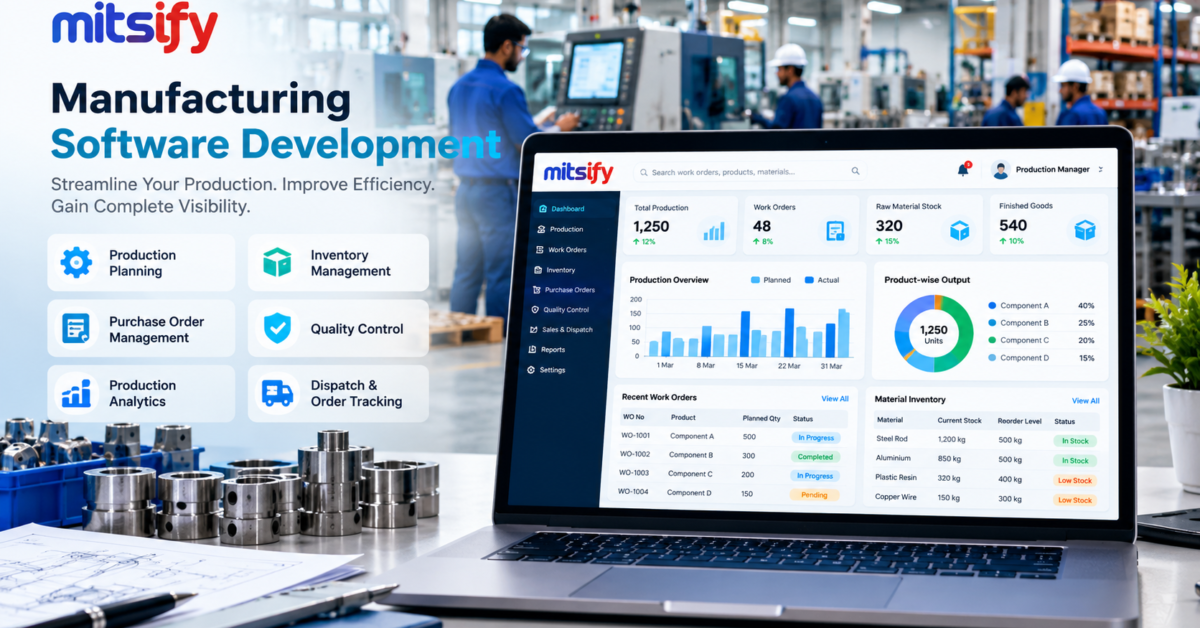
Manufacturing businesses manage several interconnected activities, including production planning, raw material purchasing, inventory control, quality inspection, order processing, and dispatch. When these operations rely on spreadsheets, paper records, and disconnected software, it becomes difficult to maintain accurate information and coordinate work across departments.
Manufacturing software development helps businesses build digital systems that match their production processes and operational requirements. Instead of relying entirely on manual data entry, manufacturers can use custom software to centralise information, automate repetitive tasks, and improve visibility across their operations.
In this guide, we explain what manufacturing software is, which features businesses should consider, and how to plan a custom software development project.
What Is Manufacturing Software Development?
Manufacturing software development involves designing and building software applications that support the day-to-day operations of a manufacturing business.
Depending on the requirements, a solution may manage production schedules, raw materials, inventory, purchase orders, work orders, quality checks, finished goods, and management reports.
For example, a manufacturer producing industrial components may need to track raw materials received from suppliers, materials consumed during production, finished products available for dispatch, and pending customer orders. A connected application can help authorised employees access this information through a central system.
Manufacturing software can be developed as a web application, desktop application, mobile application, or an integrated platform, depending on the environment in which employees work.
Why Do Manufacturers Need Custom Software?
As manufacturing operations grow, managing business information manually can become increasingly difficult.
1. Production Planning Challenges
Production teams need to coordinate machine availability, employee schedules, raw materials, work orders, and delivery commitments.
When planning information is scattered across spreadsheets or departments, schedules can become outdated or difficult to maintain.
Custom software can help organise production plans, track work orders, and highlight delays that require attention.
2. Inventory Management Problems
Manufacturers must track raw materials, work-in-progress items, finished goods, and materials held across different warehouses.
Manual stock records can become inconsistent when purchases, consumption, transfers, and production receipts are not recorded promptly.
An inventory management system can maintain stock transactions, provide stock reports, and help authorised users monitor material availability.
3. Purchase Order Management
Manufacturing businesses often purchase materials from multiple suppliers with different lead times, prices, and delivery conditions.
A centralised purchasing workflow can help teams create purchase requests, prepare purchase orders, record goods received, and track pending deliveries.
4. Limited Operational Visibility
Business owners may need to contact several departments to understand current production status, material availability, or outstanding orders.
A central dashboard can present relevant information in one place, reducing the need to collect reports manually.
5. Repetitive Data Entry
When employees enter the same information into multiple systems, mistakes and unnecessary administrative work can increase.
Software integration and workflow automation can reduce duplicate entry where the relevant systems support reliable data exchange.
Essential Features of Manufacturing Software
The appropriate features depend on the industry, factory processes, product complexity, and existing systems. The following modules are common starting points.
1. Production Planning and Scheduling
Production planning tools help businesses organise work orders, planned quantities, target dates, and production stages.
Depending on the scope, the application may include:
- Production schedules and work orders
- Material availability checks
- Production status tracking
- Planned versus actual production reports
- Delay and exception notifications
Advanced scheduling may also consider machine capacity, labour availability, setup times, and production constraints.
2. Raw Material and Inventory Management
Inventory management software helps track materials as they move through purchasing, storage, production, and dispatch.
Useful capabilities include:
- Raw material and finished goods tracking
- Stock receipts and issues
- Warehouse and bin-level tracking
- Batch or lot traceability
- Stock transfers and adjustments
- Reorder level alerts
- Inventory valuation reports
The required tracking method should match the products and the manufacturer’s operational needs.
3. Bill of Materials and Material Requirements
A Bill of Materials (BOM) defines the materials and components required to manufacture a product.
A manufacturing application can use BOM information to estimate material requirements, record consumption, and help production teams identify shortages.
More advanced systems can support multiple BOM versions, product variants, and production routing where required.
4. Purchase and Supplier Management
A purchasing module can help manage supplier records, purchase requests, purchase orders, expected delivery dates, and goods received.
When integrated with inventory records, it can provide better visibility into incoming materials and outstanding purchases.
5. Quality Control
Quality management features can record inspection results at incoming material, in-process, and finished-product stages.
Depending on the industry, the system may support inspection checklists, acceptance criteria, defect records, corrective actions, and quality reports.
Manufacturers operating under specific regulatory or certification requirements should define their traceability and documentation needs before development begins.
6. Work-in-Progress Tracking
Work-in-progress tracking provides visibility into products moving between production stages.
Employees may record completed quantities, rejected items, material consumption, and the current status of each work order.
Barcode scanning or mobile data entry can be considered when it suits the factory environment.
7. Sales Orders and Dispatch Management
Production and dispatch teams need to understand which customer orders are pending, which products are ready, and which deliveries are approaching their due dates.
A connected application can link customer orders with production status, finished goods availability, packing, and dispatch records.
8. Dashboards and Business Reports
A management dashboard can bring together operational information such as:
- Planned and completed production
- Raw material availability
- Pending purchase orders
- Work orders in progress
- Rejected or reworked quantities
- Finished goods stock
- Pending customer orders
Reports should be designed around the decisions managers need to make, rather than simply displaying as many metrics as possible.
Custom Manufacturing Software vs Ready-Made Software
Manufacturers can choose between ready-made software and a custom-built solution. Neither option is automatically best for every business.
| Requirement | Ready-made software | Custom manufacturing software |
|---|---|---|
| Standard production workflows | May be suitable | Can be tailored |
| Common inventory features | Often available | Built around requirements |
| Unique business rules | Depends on configuration | Can be implemented specifically |
| Legacy system integration | Depends on connectors and APIs | Can be developed where technically feasible |
| Special approval workflows | Depends on product capabilities | Can be designed for the business |
| Initial implementation | May be faster | Requires discovery and development |
| Future enhancements | Subject to vendor roadmap | Can follow the agreed development roadmap |
Ready-made software is worth considering when it already supports most of your requirements. Custom development may be appropriate when your workflows, integrations, or operational rules cannot be handled effectively by existing products.
Before deciding, compare the total cost of ownership, implementation effort, licensing, integration requirements, support, and future flexibility.
How to Develop Manufacturing Software
A successful manufacturing software project starts with understanding how the factory operates.
Step 1: Map Your Existing Processes
Document how materials are purchased, received, stored, issued to production, converted into finished goods, and dispatched.
Identify recurring delays, duplicate data entry, reporting difficulties, and errors that the proposed system should address.
Step 2: Define the Project Scope
Decide which departments and processes will be included in the initial release.
For example, an initial application may focus on inventory management, purchase orders, and production tracking before adding quality management or advanced planning.
Prioritising the most important workflows helps keep the first release manageable.
Step 3: Design the User Experience
Different employees need different screens and permissions.
Warehouse staff may require quick stock-entry forms, production supervisors may need work-order dashboards, and management may need summary reports.
The interface should be practical for the devices and working conditions in the factory.
Step 4: Choose the Technology and Architecture
Technology selection should consider performance, security, integration requirements, expected user numbers, maintenance, and long-term development.
A typical web-based solution may include a frontend application, backend services, a database, authentication, reporting, and APIs for integrations.
Where operations depend on machinery, barcode devices, or industrial equipment, confirm compatibility and integration requirements before finalising the design.
Step 5: Develop and Integrate
Build the agreed modules and integrate existing systems where necessary.
Potential integrations include accounting software, ERP platforms, barcode scanners, supplier systems, and machine data sources. Feasibility depends on available interfaces, equipment compatibility, licensing, and the quality of existing data.
Step 6: Test with Real Workflows
Test inventory transactions, production calculations, user permissions, reporting, error handling, and integration failures.
Use representative data and involve employees who will use the system daily. User acceptance testing helps identify problems before production rollout.
Step 7: Deploy, Train, and Improve
Plan data migration, employee training, backups, monitoring, and ongoing support.
A phased rollout can reduce disruption by introducing the system to one process or department before expanding to others.
After launch, review operational feedback and prioritise improvements based on business needs.
How Much Does Manufacturing Software Development Cost?
The cost of manufacturing software depends on the project’s scope, complexity, integrations, and operational requirements.
Key cost factors include:
- Number of modules and user roles
- Complexity of production planning
- Inventory and warehouse requirements
- BOM and material calculation rules
- Barcode, machine, or equipment integration
- Existing ERP and accounting integrations
- Data migration and reporting requirements
- Security, hosting, training, and ongoing maintenance
A focused inventory application will usually require a different level of effort from a comprehensive manufacturing execution or enterprise resource planning platform.
For a meaningful estimate, document the existing workflow, required features, expected users, integration needs, and desired delivery milestones before requesting a proposal.
Common Mistakes to Avoid
Building Everything at Once
Trying to automate every department in the first release can increase complexity. Begin with the processes that create the most significant operational problems.
Ignoring Data Quality
Incorrect product codes, duplicate supplier records, inconsistent units of measurement, and outdated stock balances can undermine a new system. Clean and validate existing data before migration.
Overlooking Employee Training
Even a technically sound application may be underused if employees do not understand the new workflows. Include practical training and clear operating instructions.
Choosing Technology Before Understanding Requirements
The technology should support the business process, not force the business into an unsuitable workflow. Define the requirements before making architectural decisions.
Neglecting Maintenance and Security
Production software requires backups, access controls, monitoring, security updates, and a process for fixing defects. Plan these responsibilities before launch.
How Mitsify Can Help with Manufacturing Software Development
Manufacturing businesses have different production processes, inventory rules, reporting needs, and integration requirements. A useful software solution should reflect those differences.
Mitsify provides custom web development services for businesses that need tailored web applications, dashboards, portals, workflow automation, and system integrations.
Our development process begins with understanding the business requirements, identifying essential features, and defining a practical implementation plan.
If your manufacturing business relies on spreadsheets, disconnected systems, or manual reporting, a custom application may help centralise important workflows and improve operational visibility.
Planning a manufacturing software project?
Explore Mitsify Custom Web Development Services
Contact Mitsify to Discuss Your Project
Frequently Asked Questions
What is manufacturing software development?
Manufacturing software development is the process of building or adapting applications to manage manufacturing activities such as production planning, inventory, purchasing, quality control, and reporting.
Which software is useful for a manufacturing company?
The appropriate software depends on the company’s requirements. Common options include inventory management systems, production tracking applications, manufacturing execution systems, ERP platforms, and custom business applications.
Can custom software integrate with existing ERP software?
Integration may be possible through APIs, supported connectors, or other suitable interfaces. The existing system’s technical capabilities and licensing must be assessed before development begins.
Can manufacturing software manage multiple warehouses?
Yes. A system can be designed to track stock across multiple warehouses or locations, provided the required stock transfer, access control, and inventory rules are defined.
How long does manufacturing software development take?
The timeline depends on the scope, complexity, integrations, data migration, and testing requirements. A focused application generally requires less work than a comprehensive manufacturing platform. A reliable timeline should be established after requirements analysis.
Is custom manufacturing software suitable for small manufacturers?
Yes. Smaller manufacturers can start with a focused application for inventory, purchase orders, or production tracking and expand it as their operations grow.
How can I get a manufacturing software development quote?
Prepare a summary of your current processes, the main operational challenges, required features, existing software, and expected users. A development team can use this information to assess feasibility, estimate effort, and propose a suitable solution.