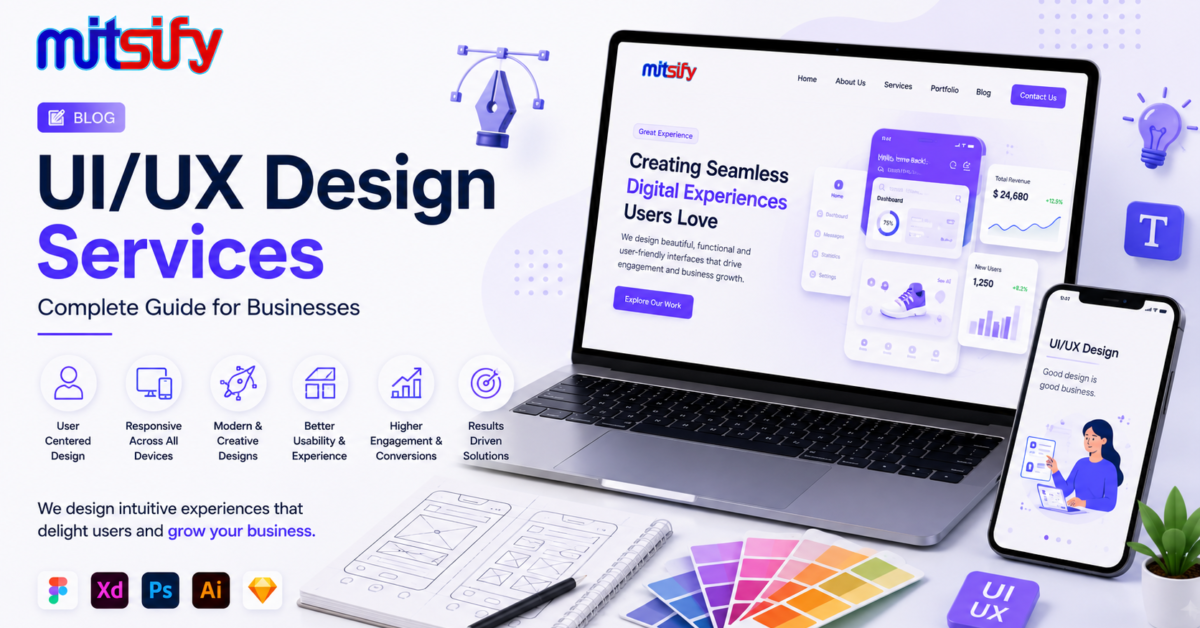
UI/UX Design plays an important role in creating websites, mobile applications, SaaS products, and business software that are easy to use, visually appealing, and effective. A well-designed digital product helps users understand features quickly, complete tasks easily, and interact with the application confidently.
Whether you are building a new mobile app, business website, SaaS platform, or custom software solution, professional UI/UX design services can help create a better digital experience for your customers and employees.
What Is UI/UX Design?
UI/UX design combines two important areas of digital product design: User Interface (UI) and User Experience (UX).
UI Design focuses on the visual appearance and interactive elements of a digital product. It includes colors, typography, buttons, icons, layouts, forms, navigation elements, and other visual components.
UX Design focuses on how users interact with the product. It involves understanding user needs, designing user journeys, simplifying workflows, improving navigation, and making the overall experience more convenient.
When UI and UX work together, businesses can create digital products that are both attractive and easy to use.
UI Design vs UX Design
| UI Design | UX Design |
|---|---|
| Focuses on visual interface | Focuses on user experience |
| Colors and typography | User research |
| Buttons and icons | User journeys |
| Page layouts | Information architecture |
| Visual consistency | Usability and workflow |
| Interactive components | User testing and improvements |
Why Is UI/UX Design Important for Businesses?
A digital product can have powerful features, but users may struggle to use it if the interface is confusing. Good UI/UX design helps businesses present complex functionality in a simple and understandable way.
Professional UI/UX design can help businesses:
- Improve website and application usability
- Create simple and intuitive navigation
- Improve customer engagement
- Reduce user confusion
- Create a consistent brand experience
- Improve mobile and desktop experiences
- Make software workflows easier to understand
- Support better customer interactions
- Improve the overall quality of digital products
UI/UX Design Services
UI/UX design services can cover the complete design lifecycle, from understanding user requirements to creating final production-ready interface designs.
1. UX Research
UX research helps understand the target users, their requirements, expectations, problems, and behaviour. Research findings can be used to create better user journeys and application workflows.
2. User Flow Design
User flows define how users move through a website, mobile application, or software system. A clear user flow helps reduce unnecessary steps and makes important actions easier to complete.
3. Wireframe Design
Wireframes provide a basic structure of a website or application screen before detailed visual design begins. They help teams understand page layouts, content placement, navigation, and functionality.
4. UI Design
UI design transforms wireframes into visually polished interfaces. This includes typography, colors, buttons, icons, forms, cards, navigation menus, dashboards, and other interface components.
5. Interactive Prototypes
Interactive prototypes allow businesses and development teams to experience how the application will work before development begins. Prototypes can help identify usability problems and workflow improvements at an early stage.
6. Responsive Design
Responsive UI design ensures that websites and applications provide a consistent experience across desktops, laptops, tablets, and mobile devices.
7. Design Systems
A design system provides reusable components, design rules, typography, colors, spacing, buttons, forms, and other UI standards. It helps maintain consistency across large applications and multiple screens.
UI/UX Design for Websites
A business website is often the first digital interaction between a company and its potential customers. Good website UI/UX design helps visitors quickly understand the business, find relevant information, and take important actions.
Website UI/UX design may include:
- Homepage design
- Landing page design
- Product page design
- Service page design
- Contact page design
- Navigation design
- Responsive layouts
- Forms and conversion-focused interfaces
- Mobile-friendly website experiences
Businesses looking for complete digital solutions can also explore Web Development Services.
UI/UX Design for Mobile Apps
Mobile applications require interfaces that work well on smaller screens and support touch-based interactions. Mobile UI/UX design focuses on simple navigation, readable content, accessible controls, and efficient user flows.
Common mobile app design areas include:
- Onboarding screens
- Login and registration
- Home dashboards
- Bottom navigation
- Forms and input screens
- Product and service screens
- Payment flows
- Push notification experiences
- Profile and settings screens
For businesses planning a complete mobile application, explore Mobile App Development Services.
UI/UX Design for SaaS Applications
SaaS applications often contain multiple modules, dashboards, reports, settings, user roles, and workflows. Therefore, UI/UX design is especially important for SaaS products.
A good SaaS interface should make complex functionality easy to understand and use.
SaaS UI/UX design can include:
- Admin dashboards
- User dashboards
- Analytics screens
- Reports and data visualization
- Subscription management
- User management
- Role-based interfaces
- Settings and configuration screens
- Notifications
- Search and filtering
If you are planning to build a SaaS product, you can also read our SaaS Development: Complete Guide.
UI/UX Design for Business Software
Business software often contains many features and workflows. Examples include billing software, inventory systems, CRM applications, ERP systems, pharmacy software, jewellery software, accounting systems, and custom business applications.
UI/UX design can simplify these workflows by organizing information into logical sections and making frequently used actions easy to access.
For example, a business billing application may require screens for:
- Customer management
- Product management
- Billing
- Payments
- Inventory
- Reports
- Purchase management
- Sales management
- User management
A well-planned interface can make these modules easier for employees to understand and operate.
UI/UX Design Process
A structured UI/UX design process helps businesses create user-friendly digital products while reducing unnecessary design and development changes.
Step 1: Understand Requirements
The first step is to understand the business goals, target users, product requirements, key features, and expected user journeys.
Step 2: Conduct UX Research
User requirements and business workflows are analyzed to identify important user problems and opportunities for improvement.
Step 3: Create User Flows
User flows are created to define how users move from one screen or action to another.
Step 4: Create Wireframes
Wireframes provide the basic structure of application screens before the final visual design is created.
Step 5: Design the UI
The visual interface is created using appropriate typography, colors, components, spacing, icons, and layouts.
Step 6: Build an Interactive Prototype
An interactive prototype connects the screens and demonstrates the expected user experience.
Step 7: Review and Test
The design is reviewed against business requirements and tested for usability, consistency, responsiveness, and navigation.
Step 8: Handoff to Development
Final designs, components, specifications, and assets are provided to developers for implementation.
Popular UI/UX Design Tools
Modern UI/UX teams use different design and collaboration tools depending on project requirements.
- Figma
- Adobe XD
- Sketch
- Adobe Photoshop
- Adobe Illustrator
- FigJam
- Prototyping and collaboration tools
Figma is commonly used for interface design, prototyping, collaboration, design systems, and developer handoff.
Important Elements of Good UI/UX Design
Simple Navigation
Users should be able to understand where they are and how to reach important sections without unnecessary steps.
Visual Consistency
Consistent colors, typography, buttons, spacing, and components create a professional and predictable experience.
Mobile Responsiveness
Interfaces should adapt to different screen sizes and provide a usable experience across devices.
Accessibility
Accessible design considers readable text, sufficient contrast, clear controls, meaningful labels, and usability for a wider range of users.
Fast and Clear Interactions
Important actions should be easy to identify, and users should receive clear feedback when an action is completed, fails, or requires additional information.
UI/UX Design for E-Commerce
E-commerce websites and applications require carefully planned user journeys because users need to discover products, compare options, add items to carts, and complete purchases.
Important e-commerce UI/UX areas include:
- Product discovery
- Search and filters
- Product details
- Shopping cart
- Checkout
- Payment interface
- Order tracking
- Customer account
UI/UX Design for Dashboards
Dashboards present large amounts of information in a compact interface. Good dashboard UX focuses on information hierarchy and helps users identify important information quickly.
Dashboard design may include:
- Key performance indicators
- Charts and graphs
- Tables
- Reports
- Filters
- Search
- Notifications
- Activity summaries
UI/UX Design and Custom Software Development
UI/UX design should ideally be considered before custom software development begins. Understanding the user interface and workflows early can help development teams implement the required functionality more effectively.
If your business needs a software solution designed specifically around its workflows, explore Custom Software Development: Complete Guide.
Benefits of Professional UI/UX Design
- Better usability
- Clearer user journeys
- Improved interface consistency
- Better mobile experiences
- Reduced user confusion
- Better product presentation
- More efficient workflows
- Easier collaboration between designers and developers
- Better scalability for growing applications
UI/UX Design for Different Industries
UI/UX design can be applied across different industries and business models.
- Healthcare and pharmacy
- Retail and e-commerce
- Jewellery businesses
- Finance and accounting
- Education
- Logistics and delivery
- Real estate
- Travel and tourism
- Manufacturing
- Food and hospitality
- Professional services
- SaaS and technology products
How Much Does UI/UX Design Cost?
The cost of UI/UX design depends on the size and complexity of the project. A simple website will generally require less design work than a large SaaS platform or enterprise application.
Factors that can influence UI/UX design cost include:
- Number of screens
- Number of user roles
- Design complexity
- UX research requirements
- Prototype requirements
- Design system requirements
- Mobile and desktop versions
- Dashboard and reporting requirements
- Number of revisions
- Project timeline
For an accurate estimate, businesses should define the product scope, features, user roles, and number of screens before starting the design process.
How to Choose a UI/UX Design Company
Choosing the right UI/UX design company is important because the design should support both business objectives and user requirements.
Consider the following factors:
- UI/UX design experience
- Portfolio quality
- Understanding of your industry
- UX research approach
- Responsive design capability
- Design system experience
- Prototyping capability
- Communication process
- Developer handoff process
- Post-launch design support
UI/UX Design Best Practices
- Keep interfaces simple and consistent
- Design around real user requirements
- Use clear navigation
- Maintain consistent spacing and typography
- Design for mobile and desktop devices
- Use clear calls to action
- Provide meaningful error messages
- Test important user journeys
- Use reusable design components
- Review designs with developers before implementation
- Continuously improve the experience based on user feedback
UI/UX Design and Digital Transformation
Digital transformation is not only about implementing new technology. Businesses also need to ensure that employees and customers can use digital systems efficiently.
Professional UI/UX design can help transform complicated manual processes into simpler digital workflows. This is particularly useful for businesses adopting SaaS applications, cloud software, mobile applications, dashboards, and custom business systems.
To learn more about cloud-based solutions, read our Cloud-Based Software Development: Complete Guide.
Frequently Asked Questions About UI/UX Design
What is UI/UX design?
UI/UX design combines user interface design and user experience design to create digital products that are visually clear, easy to navigate, and convenient to use.
What is the difference between UI and UX?
UI focuses mainly on the visual interface and interactive elements, while UX focuses on the overall user journey, usability, workflows, and interaction with the product.
Why is UI/UX design important for a mobile app?
Mobile users interact with applications through smaller screens and touch controls. Good UI/UX design helps create simple navigation, readable content, efficient workflows, and easy-to-use interfaces.
Is UI/UX design important for SaaS applications?
Yes. SaaS applications often contain multiple features, dashboards, reports, and workflows. Good UI/UX design helps users understand and use these features more efficiently.
What tools are used for UI/UX design?
Common UI/UX design tools include Figma, Adobe XD, Sketch, Photoshop, Illustrator, and collaboration and prototyping tools.
How long does UI/UX design take?
The timeline depends on the number of screens, product complexity, research requirements, user roles, prototype requirements, and revision cycles.
Can UI/UX design be improved after an application is launched?
Yes. Existing websites, mobile apps, and software products can be analyzed and redesigned to improve usability, navigation, visual consistency, and user experience.
Should UI/UX design be completed before development?
For many projects, designing important user flows and interfaces before development can help clarify requirements and reduce unnecessary development changes.
Conclusion
UI/UX Design is an important part of building modern websites, mobile applications, SaaS platforms, and business software. Good design combines attractive interfaces with practical user journeys, clear navigation, responsive layouts, and simple workflows.
Businesses planning a new digital product should consider UI/UX design from the early stages of the project. A structured design process can help create digital experiences that are easier for customers and employees to understand and use.
If you are planning a website, mobile application, SaaS platform, or custom business software, professional UI/UX design can be an important foundation for the product’s overall success.
Related Articles
- SaaS Development: Complete Guide
- Custom Software Development: Complete Guide
- Cloud-Based Software Development: Complete Guide
- Mobile App Development: Complete Guide for Businesses
- Web Application Development: Complete Guide
Explore Mitsify Software Development Services
Mitsify provides software development solutions for businesses looking to build websites, mobile applications, SaaS products, and custom software systems.
Explore Mobile App Development Services