Managing medicine inventory manually can become difficult as a pharmacy grows. Medical shops need to keep track of medicines, available stock, batch numbers, expiry dates, purchases, sales and stock movement on a regular basis.
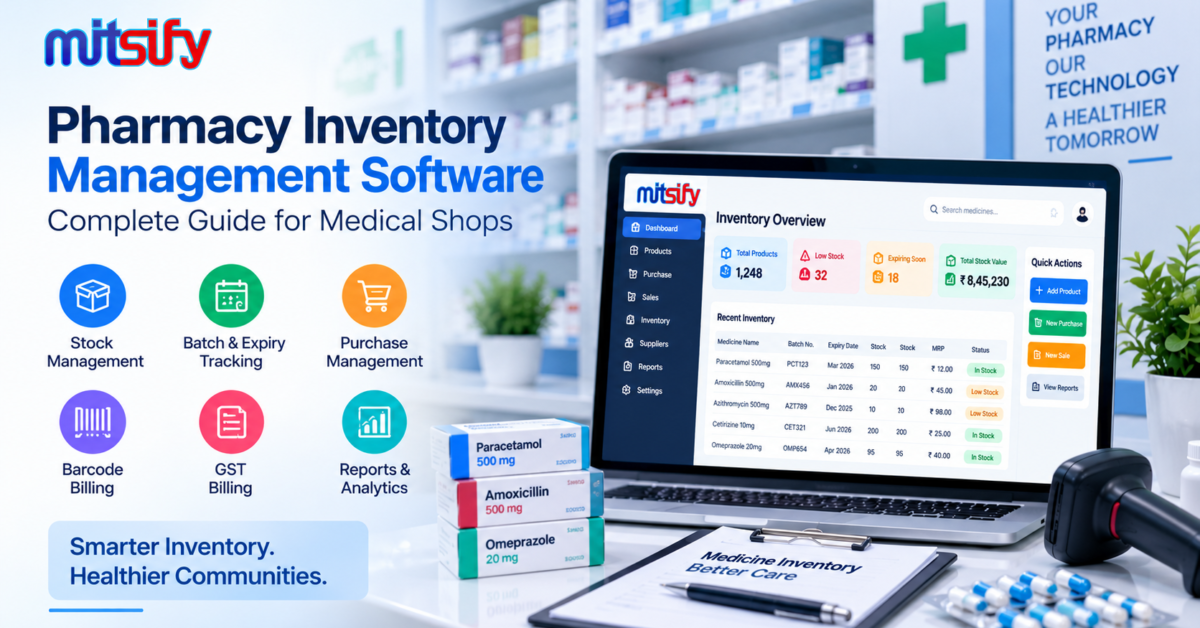
Pharmacy inventory management software helps medical shops organize these activities in one system and maintain better visibility of their inventory.
Instead of depending on notebooks, spreadsheets or separate systems, pharmacies can use inventory software to manage their stock along with billing, purchasing and other day-to-day operations.
In this guide, we will explain what pharmacy inventory management software is, why inventory management is important for pharmacies, its key features, benefits and what medical shops should consider before choosing an inventory management solution.
What Is Pharmacy Inventory Management Software?
Pharmacy inventory management software is a digital solution designed to help medical shops and pharmacies manage their medicine stock efficiently.
A pharmacy may need to maintain information about hundreds or thousands of products. Each medicine can have different batches, expiry dates, prices and stock quantities.
Pharmacy inventory software helps businesses organize important information such as:
- Medicine names
- Available stock
- Batch numbers
- Expiry dates
- Purchase details
- Sales information
- MRP and selling prices
- Supplier information
- Stock movement
- Inventory reports
When inventory management is connected with billing and purchasing, pharmacies can manage their daily operations through a more organized workflow.
Why Is Inventory Management Important for Pharmacies?
Inventory is one of the most important parts of running a medical shop or pharmacy.
A pharmacy needs to maintain sufficient stock of medicines while also avoiding unnecessary excess inventory. Manual stock management can become difficult when the number of products and daily transactions increases.
Effective inventory management can help pharmacies:
Avoid Stock Shortages
Knowing the current stock level of medicines makes it easier to identify products that need to be reordered.
This can help pharmacy owners plan purchases based on actual inventory requirements.
Reduce Expired Stock
Medicines can have different expiry dates depending on their batches.
Maintaining batch and expiry information helps pharmacy staff identify products that are approaching their expiry dates and review them in advance.
Improve Stock Visibility
A digital inventory system can provide a clearer view of available stock, sold products and stock movement.
This makes it easier for pharmacy owners and staff to understand the current inventory position.
Manage Purchases Better
Stock information can help pharmacies determine which medicines need to be purchased or reordered.
Instead of relying only on manual stock checks, businesses can use inventory information to support their purchasing decisions.
Reduce Manual Work
Maintaining stock records manually requires regular data entry and checking.
Inventory software can automate many routine inventory activities and reduce repetitive work.
Key Features of Pharmacy Inventory Management Software
A pharmacy inventory management system should support the everyday requirements of medical shops and pharmacies.
The exact features can vary between software solutions, but the following capabilities are particularly useful.
Medicine Stock Management
Pharmacy inventory software allows businesses to maintain medicine and product information in an organized manner.
Staff can check important details such as:
- Product name
- Available quantity
- MRP
- Selling price
- Purchase details
- Stock movement
Having this information in one system makes it easier to manage day-to-day inventory.
Batch Management
Medicines are commonly supplied in different batches.
Each batch may have its own:
- Batch number
- Expiry date
- Purchase price
- MRP
- Available quantity
Batch-wise inventory management allows pharmacies to maintain accurate stock information for different batches.
It can also help staff identify the appropriate batch when processing medicine sales.
Medicine Expiry Management
Expiry management is an important part of pharmacy inventory control.
Inventory software can maintain expiry information along with batch and product details. This helps pharmacy staff identify medicines that are approaching their expiry dates.
Regular expiry monitoring can help businesses review their inventory and take appropriate action before products become expired.
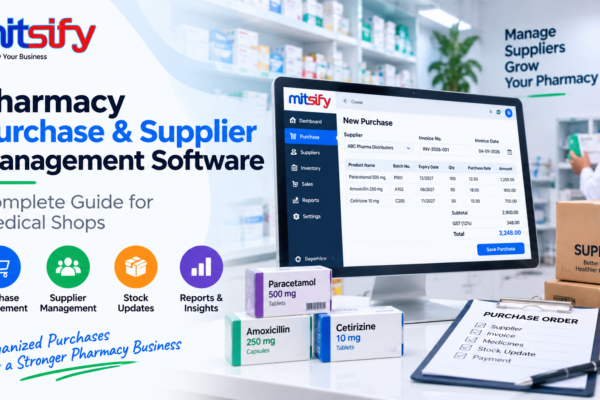
Purchase Management
Purchasing directly affects pharmacy inventory.
When medicines are purchased from distributors or suppliers, the purchase information can be recorded in the system and reflected in inventory.
Purchase management may include:
- Supplier details
- Purchase entries
- Medicine quantities
- Batch details
- Purchase price
- MRP
- GST information
Connecting purchases with inventory helps maintain more consistent stock records.
Sales and Billing Integration
Billing and inventory are closely connected in a pharmacy.
When a medicine is sold, the corresponding stock quantity needs to be reflected in the inventory.
With integrated pharmacy software, billing and inventory can work together as part of the same workflow.
A typical pharmacy workflow can be:
Purchase → Stock → Billing → Stock Update → Reports
This reduces the need to maintain separate sales and inventory records.
For medical shops looking for an integrated pharmacy billing software with inventory management, batch tracking and expiry management, Mitsify provides these workflows in one platform.
Low Stock and Reorder Management
Some medicines may sell faster than others.
Pharmacies need to identify products that are running low so they can plan their next purchase.
Stock-level and reorder information can help pharmacy owners review inventory and plan purchases according to their requirements.
Barcode-Based Inventory Management
Barcode functionality can make product identification and billing faster.
Instead of manually searching for every medicine, staff can scan the product barcode where supported and retrieve the relevant product information.
This can be especially useful for medical shops that handle a large number of products and daily transactions.
GST and Inventory Management
Pharmacy purchases and sales may involve GST-related information.
An integrated system can keep product, billing and inventory information connected, helping businesses maintain more organized transaction records.
For pharmacies that require GST billing, software with billing and inventory integration can provide a more streamlined workflow.
Supplier Management
Pharmacies regularly purchase medicines from distributors and suppliers.
Inventory software can maintain supplier information along with purchase transactions.
This makes it easier to review purchase history and manage supplier-related transactions.
Inventory Reports
Reports provide useful information about pharmacy stock and business activity.
Depending on the software, inventory reports may include:
- Current stock reports
- Stock movement reports
- Purchase reports
- Sales reports
- Expiry-related reports
- Stock valuation reports
- Product-wise reports
These reports can help pharmacy owners understand inventory performance and make better purchasing decisions.
Benefits of Using Pharmacy Inventory Management Software
Pharmacy inventory software can provide several practical benefits for medical shops and pharmacies.
Better Stock Control
Pharmacy owners and staff can get a clearer view of available medicine stock and product movement.
Less Manual Data Entry
Digital workflows can reduce repetitive inventory updates and manual calculations.
Better Expiry Monitoring
Batch and expiry information can be maintained along with medicine stock, making expiry monitoring more organized.
Faster Billing
When billing and inventory are integrated, sales transactions can automatically reflect changes in stock.
Improved Purchase Planning
Current stock information can help pharmacies identify products that need to be reordered.
Better Business Visibility
Inventory and sales reports can provide useful information about stock, purchases and sales activity.
Manual Inventory Management vs Pharmacy Inventory Software
Manual inventory management may involve notebooks, spreadsheets or separate records for purchases and sales.
As a pharmacy grows, maintaining these records manually can become more difficult.
Pharmacy inventory software provides a centralized way to manage inventory-related information.
| Manual Inventory Management | Pharmacy Inventory Software |
|---|---|
| Paper or spreadsheet-based records | Centralized digital records |
| Manual stock updates | Faster stock updates |
| Difficult batch tracking | Batch-wise stock tracking |
| Manual expiry checking | Easier expiry monitoring |
| Separate billing and stock records | Integrated billing and inventory |
| Manual report preparation | Digital inventory reports |
| More repetitive data entry | Reduced manual work |
For small medical shops with limited products, manual methods may initially seem manageable. However, as product volume and daily transactions increase, dedicated inventory software can make stock management more organized.
How Pharmacy Inventory Management Software Works
A typical pharmacy inventory workflow can follow these steps.
Step 1: Add Medicine Products
Medicine and product details are added to the inventory system.
Step 2: Record Purchases
Purchased medicines are entered with relevant quantities, batch information and pricing details.
Step 3: Update Inventory
Purchase transactions are reflected in the available stock.
Step 4: Sell Medicines
When medicines are sold, the billing system records the sales transaction.
Step 5: Update Stock
The sold quantity is reflected in the inventory.
Step 6: Monitor Stock and Expiry
Pharmacy staff can review available stock and monitor batch and expiry information.
Step 7: Generate Reports
Inventory, purchase and sales reports can be used to understand stock movement and business activity.
What Should You Look for in Pharmacy Inventory Software?
Before choosing pharmacy inventory management software, medical shops should evaluate the system based on their actual business requirements.
Medicine and Product Management
The software should make it easy to add, search and manage medicine products.
Batch and Expiry Tracking
Batch numbers and expiry dates should be easy to record, search and monitor.
Billing Integration
Inventory should work together with the pharmacy billing process so that sales and stock remain connected.
Purchase Management
The software should support purchase entries and supplier-related workflows.
Barcode Support
Barcode functionality can help speed up product identification and billing.
GST Billing
For applicable businesses, the software should support the required GST billing workflow.
Inventory Reports
The system should provide useful stock, purchase and sales information through reports.
Ease of Use
Pharmacy staff should be able to understand and use the system without unnecessary complexity.
Why Integrated Pharmacy Software Is Better Than Separate Systems
Some medical shops use one system for billing, another system for inventory and spreadsheets for purchase records.
This can create duplicate work because the same information may need to be entered and maintained in multiple places.
With an integrated pharmacy software system, important workflows can be connected.
For example:
Separate Systems:
Billing → Spreadsheet → Stock → Purchase Records
Integrated System:
Purchase → Inventory → Billing → Stock Update → Reports
Keeping these workflows connected can make daily pharmacy management more organized and reduce unnecessary manual work.
Pharmacy Inventory Management with Mitsify
Mitsify Pharmacy Billing Software is designed to help medical shops and pharmacies manage billing and inventory-related operations from one platform.
The software brings together important pharmacy workflows such as:
- Pharmacy billing
- Inventory management
- Batch-wise stock
- Expiry management
- Barcode billing
- GST billing
- Purchase management
- Supplier payments
- Multi-branch management
- Business reports
For pharmacies looking for a single system to manage their billing and inventory workflow, an integrated pharmacy solution can help reduce the need for maintaining separate records.
Learn more about Mitsify Pharmacy Billing Software →
Frequently Asked Questions
What is pharmacy inventory management software?
Pharmacy inventory management software is a digital system used by medical shops and pharmacies to manage medicines, stock, purchases, batches, expiry dates and inventory-related information.
Why is inventory management important in a pharmacy?
Inventory management helps pharmacies maintain better control over medicine stock, monitor expiry dates, manage purchases and reduce the risk of stock shortages or unnecessary excess inventory.
Can pharmacy software manage batch numbers?
Yes. Pharmacy inventory systems can support batch-wise stock management, allowing businesses to maintain batch numbers along with product and expiry information.
Can pharmacy inventory software track expiry dates?
Yes. Inventory software can maintain expiry information along with medicine and batch details, helping pharmacy staff monitor products approaching their expiry dates.
Does pharmacy inventory software work with billing?
Yes. Integrated pharmacy software can connect billing with inventory so that sales transactions can be reflected in stock records.
Is pharmacy inventory software useful for small medical shops?
Yes. Small medical shops can also benefit from organized stock, purchase and billing management, particularly as the number of products and daily transactions increases.
Conclusion
Effective inventory management is essential for running a well-organized medical shop or pharmacy.
Pharmacy inventory management software can help businesses manage medicine stock, batches, expiry dates, purchases, billing and reports from a centralized system.
Instead of maintaining separate records for every activity, pharmacies can use integrated software to create a more organized workflow from purchase to inventory to billing.
For medical shops looking to improve their daily billing and inventory operations, choosing the right pharmacy software can make stock management easier and more systematic.