Running a medical shop involves much more than billing customers. Every day, pharmacies purchase medicines from multiple suppliers, receive invoices, update stock, track batches, manage supplier payments and reconcile outstanding balances.
When these activities are handled manually using notebooks, spreadsheets or disconnected systems, purchase records can become difficult to track. Stock quantities may not match purchase invoices, supplier dues can be missed, and staff may spend unnecessary time entering the same information multiple times.
Pharmacy purchase and supplier management software connects purchasing, supplier management, inventory and payments in one system. This helps medical shops maintain accurate purchase records while keeping supplier balances and stock information up to date.
What Is Pharmacy Purchase & Supplier Management Software?
Pharmacy purchase and supplier management software is a business management system designed to help medical shops and pharmacies manage the complete purchasing process.
Instead of maintaining supplier invoices, purchase records, stock updates and payment details separately, the software connects them through a single workflow.
A typical pharmacy purchase workflow includes:
Supplier → Purchase Invoice → Medicine & Batch Details → Stock Update → Supplier Ledger → Payment → Reports
This connected approach makes it easier for pharmacy owners to know:
- What medicines were purchased
- Which supplier supplied them
- How much stock was received
- Which batches were added
- What the purchase cost was
- How much is payable to each supplier
- Which invoices are pending for payment
- How much was purchased during a particular period
Why Purchase Management Is Important for Medical Shops
Purchasing directly affects pharmacy stock, working capital and profitability.
A medical shop may purchase hundreds or thousands of medicine items from different agencies and distributors. If purchase information is not maintained properly, several problems can occur.
Difficult Supplier Tracking
When purchases are recorded manually, finding a particular supplier invoice can take time.
Incorrect Stock Updates
If purchased quantities are not added correctly, the available stock shown in the system may not match physical stock.
Supplier Payment Confusion
Multiple invoices, advances, returns and adjustments can make supplier balances difficult to calculate manually.
Duplicate Data Entry
Entering purchase information separately into inventory, accounts and supplier records increases staff workload.
Limited Purchase Visibility
Without proper reports, owners may find it difficult to understand how much they are purchasing from each supplier or during a specific period.
A connected pharmacy purchase management system helps bring these activities together.
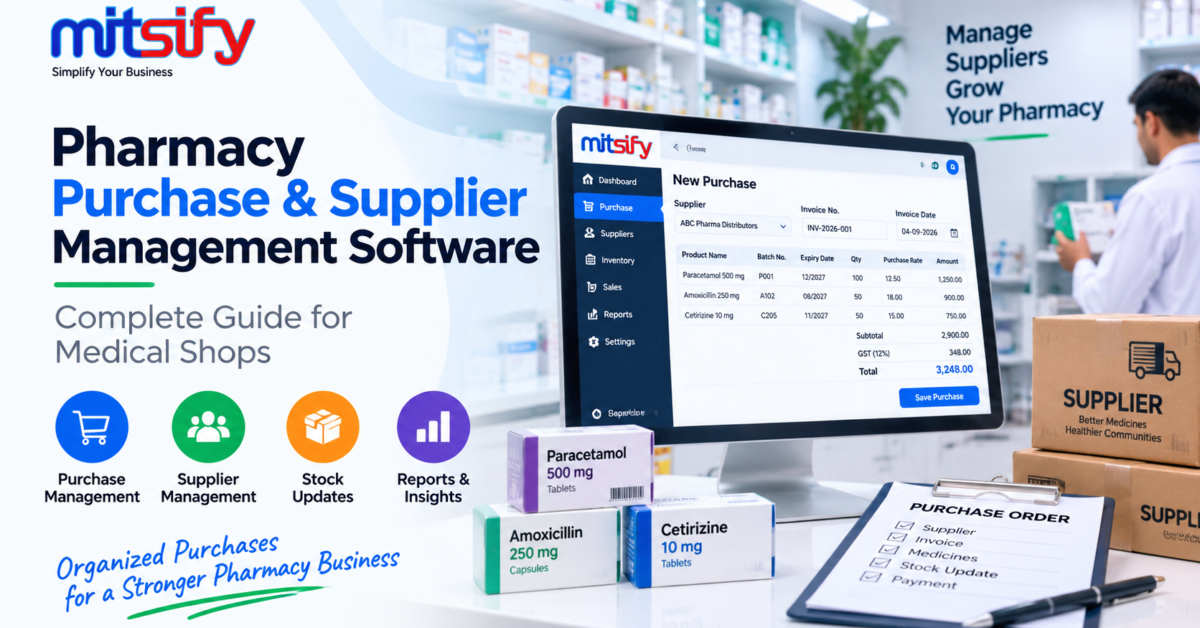
Pharmacy Purchase Entry
Purchase entry is one of the most important parts of pharmacy software.
When a supplier invoice is received, staff can enter the purchase information into the system. The purchase record can contain information such as:
- Supplier or agency
- Invoice number
- Invoice date
- Medicine name
- Quantity
- Purchase rate
- MRP
- Batch number
- Expiry date
- GST details
- Discount
- Purchase value
Once the purchase is saved, the corresponding stock information can be updated without maintaining a separate manual stock register.
This creates a direct connection between purchase records and pharmacy inventory.
Supplier and Agency Management
Medical shops commonly purchase medicines from multiple agencies, distributors and pharmaceutical suppliers.
Supplier management software allows the pharmacy to maintain supplier information in an organized manner.
A supplier master can include:
- Supplier name
- Contact information
- GST details
- Address
- Payment terms
- Credit period
- Opening balance
- Current outstanding amount
- Purchase history
With supplier information connected to purchase transactions, staff can quickly review the relationship with a particular supplier.
Supplier Invoice Management
Managing supplier invoices becomes easier when every purchase is recorded against the correct supplier.
The system can maintain purchase invoice history so that pharmacy owners can review:
- Invoice number
- Invoice date
- Supplier
- Purchase value
- Tax amount
- Discount
- Payment status
- Outstanding balance
This is particularly useful when a pharmacy receives many invoices every week.
Instead of searching through physical files or spreadsheets, staff can retrieve the purchase information from the software.
Purchase History and Tracking
A pharmacy may need to check previous purchases for several reasons.
For example, an owner may want to know:
- When a particular medicine was purchased
- Which supplier supplied it
- At what purchase rate
- How much was purchased
- Which batch was received
- How purchase prices changed over time
A proper purchase history provides this information without requiring staff to manually search through old invoices.
Purchase history can also help owners identify purchasing patterns and make better procurement decisions.
Purchase and Inventory Integration
One of the biggest advantages of pharmacy purchase software is the connection between purchasing and inventory.
When medicines are received from a supplier, the purchase transaction can update the relevant stock records.
For example:
Purchase Entry → Medicine → Batch → Expiry → Quantity → Stock
This helps keep inventory information connected with the original purchase.
Mitsify’s pharmacy platform is designed around this connected workflow, with purchases, batch-level stock, expiry tracking and supplier payments handled within the same system.
Batch and Expiry Information During Purchase
Medicines are different from many ordinary retail products because batch numbers and expiry dates are important.
During purchase entry, the system should allow pharmacies to record batch-specific information such as:
- Batch number
- Expiry date
- Purchase quantity
- Purchase rate
- MRP
- Barcode where applicable
This information can then flow into inventory and billing.
For a detailed explanation of pharmacy batch and expiry management, see our guide on [Pharmacy Batch & Expiry Management].
Supplier Payments and Outstanding Balances
Purchase management does not end when medicines are received.
Pharmacies also need to settle supplier invoices.
A supplier management system can maintain:
- Purchase invoices
- Payments
- Advances
- Credit adjustments
- Debit notes
- Outstanding balances
This allows pharmacy owners to understand how much is currently payable to each supplier.
Instead of maintaining a separate notebook for supplier dues, the supplier ledger can provide a running view of transactions.
Managing Supplier Advances
Sometimes pharmacies make advance payments to suppliers before all invoices are settled.
If advance payments are tracked separately, it can become difficult to remember which supplier has an available advance balance.
A connected supplier ledger can record the advance and adjust it against subsequent purchase invoices.
This provides better visibility into the actual amount payable.
Purchase Returns and Supplier Adjustments
Pharmacies may sometimes need to return medicines because of:
- Damaged products
- Incorrect quantities
- Incorrect items
- Near-expiry stock
- Rate differences
- Supplier-related issues
Purchase return transactions should be connected with supplier accounts and inventory.
This ensures that returned stock and supplier balances are adjusted correctly.
For supplier-side adjustments, systems may also use debit notes or other appropriate accounting records depending on the business workflow.
Excel Purchase Import
Many pharmaceutical suppliers send purchase invoices or item lists in Excel format.
Manually entering every item from a supplier spreadsheet can take significant time, especially when an invoice contains many products.
A pharmacy system with Excel purchase import can reduce this repetitive work.
Mitsify’s pharmacy software supports supplier purchase import from Excel, including saved supplier-specific import profiles for recurring formats.
A typical workflow can be:
Supplier Excel File → Import → Product Mapping → Purchase Entry → Batch & Expiry → Stock Update
This can be particularly useful for pharmacies receiving frequent supplier invoices.
Purchase Reports for Medical Shops
Purchase reports help pharmacy owners understand where their money is going.
Useful purchase-related reports can include:
- Purchase Register
- Supplier-wise Purchase Report
- Purchase Return Report
- Purchase Outstanding
- Supplier Ledger
- Agency Advance Balance
- Item Purchase Report
- Purchase History
- Stock Purchase Summary
These reports can help identify purchasing trends and outstanding supplier balances.
Mitsify currently lists purchase registers, agency ledgers, agency advance balances and other business reports among its pharmacy reporting capabilities.
Benefits of Pharmacy Purchase Management Software
A properly connected purchase system can provide several practical benefits.
Better Stock Accuracy
Purchase transactions can update inventory directly, reducing manual stock entry.
Faster Purchase Entry
Reusable supplier information and Excel import can reduce repetitive data entry.
Better Supplier Control
Owners can see supplier transactions, balances and payment history from one place.
Easier Invoice Tracking
Previous purchase invoices can be searched and reviewed when required.
Improved Cash Flow Visibility
Knowing supplier outstanding amounts helps owners plan payments more effectively.
Reduced Manual Work
Connecting purchase, stock and supplier accounts eliminates duplicate data entry.
Better Business Decisions
Purchase reports provide useful information about suppliers, products and purchasing patterns.
Pharmacy Purchase Workflow
A typical pharmacy purchase workflow can look like this:
Step 1 — Select Supplier
Choose the agency or pharmaceutical supplier.
Step 2 — Enter Purchase Invoice
Record invoice number, date and purchase details.
Step 3 — Add Medicines
Enter medicines, quantities, rates and applicable discounts.
Step 4 — Record Batch Information
Add batch numbers, expiry dates, MRP and barcode information where applicable.
Step 5 — Calculate Taxes and Total
The software calculates the relevant purchase values and taxes based on the configured transaction.
Step 6 — Update Stock
The purchased quantity is added to the appropriate inventory records.
Step 7 — Update Supplier Ledger
The purchase amount is recorded against the supplier.
Step 8 — Record Payment
When payment is made, the supplier balance is adjusted.
Step 9 — Review Reports
Purchase and supplier reports provide visibility into the overall purchasing activity.
This connected workflow reduces the need to maintain separate records for every stage.
How Purchase Management Connects With Pharmacy Billing
Purchase and billing are two sides of the same pharmacy operation.
When medicines are purchased, they enter inventory.
When medicines are sold, inventory decreases.
The complete flow becomes:
Purchase → Stock → Batch & Expiry → Billing → Sale → Stock Reduction → Reports
This is why purchase management should not operate as an isolated module.
A pharmacy management system should connect purchasing with inventory and billing so that information remains consistent across the business.
For medical shops looking for pharmacy billing software that connects purchasing, inventory, batch tracking and supplier management, Mitsify provides these workflows in one platform.
How to Choose Pharmacy Purchase Management Software
Before selecting pharmacy purchase software, medical shop owners should consider the following.
Supplier Management
Check whether the system supports multiple suppliers and maintains supplier-wise transaction history.
Purchase Invoice Management
The software should make it easy to enter, search and review purchase invoices.
Inventory Integration
Purchase entries should update stock without requiring unnecessary duplicate entry.
Batch and Expiry Support
The system should handle medicine-specific batch and expiry information.
Supplier Payments
Look for supplier ledgers, outstanding balances, advances and payment tracking.
Purchase Returns
The system should support supplier returns and appropriate adjustments.
Excel Import
If suppliers regularly provide Excel files, purchase import can save considerable time.
Reports
Purchase, supplier, stock and payment reports should be available for daily management.
Multi-Branch Support
Growing pharmacy businesses may need branch-wise purchasing and consolidated reporting.
Mitsify Pharmacy Purchase & Supplier Management Software
Mitsify Pharmacy Billing Software connects pharmacy billing, purchases, inventory, batch and expiry tracking, supplier payments and business reporting within one platform.
The system supports pharmacy purchase management, supplier invoice handling, Excel purchase import, agency payments and supplier-related reporting.
You can learn more about the complete platform here:
Mitsify Pharmacy Billing Software
The platform is designed for medical shops, pharmacies and pharmaceutical distributors, including businesses that need to manage purchases alongside billing and inventory.
Frequently Asked Questions
What is pharmacy purchase management software?
Pharmacy purchase management software helps medical shops record supplier purchases, manage invoices, update inventory, track supplier balances and manage payments from one connected system.
Can pharmacy software manage multiple suppliers?
Yes. Pharmacy purchase systems can maintain separate supplier records, purchase histories, ledgers and outstanding balances for different suppliers.
Can purchase entries automatically update pharmacy stock?
Yes, when purchase and inventory modules are integrated, purchased quantities can be added to the corresponding stock records.
Can pharmacy software track supplier payments?
Yes. Supplier payment management can track purchases, payments, advances and outstanding balances.
Can supplier invoices be imported from Excel?
Some pharmacy software supports Excel-based purchase imports. Mitsify supports supplier purchase imports with supplier-specific import profiles.
Does pharmacy purchase software support batch and expiry?
A pharmacy-specific system should support batch numbers and expiry dates because medicine stock needs batch-level tracking.
Can purchase returns be managed?
Yes. Pharmacy purchase systems can record supplier returns and update the related stock and supplier transactions.
Is pharmacy purchase management useful for small medical shops?
Yes. Even a single medical shop can benefit from organized purchase records, supplier balances and automatic stock updates.
Can pharmacy purchase software support multiple branches?
Multi-branch pharmacy systems can manage purchases by branch while providing consolidated business visibility. Mitsify supports multi-branch pharmacy management.
Conclusion
Pharmacy purchase management is an essential part of running an efficient medical shop.
Managing supplier invoices, purchases, stock, batch information, payments and outstanding balances separately can create unnecessary work and increase the possibility of errors.
A connected pharmacy purchase and supplier management software system brings these activities together. It helps pharmacies maintain accurate purchase records, keep stock updated, track supplier balances and make better purchasing decisions.
For medical shops looking to connect purchase, supplier management, inventory and billing in one platform, Mitsify Pharmacy Billing Software provides these capabilities within its pharmacy management system.