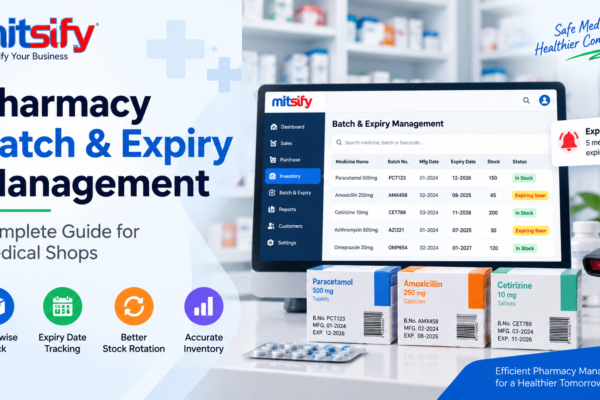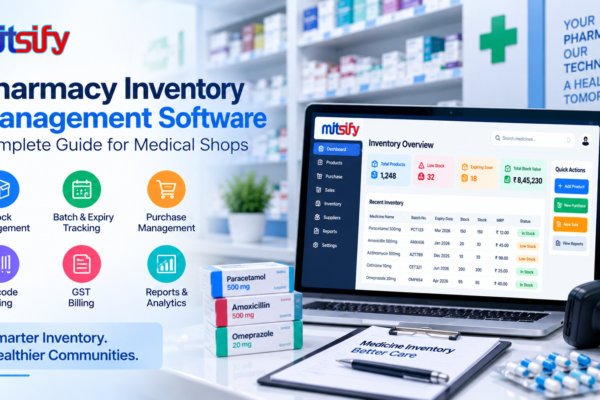
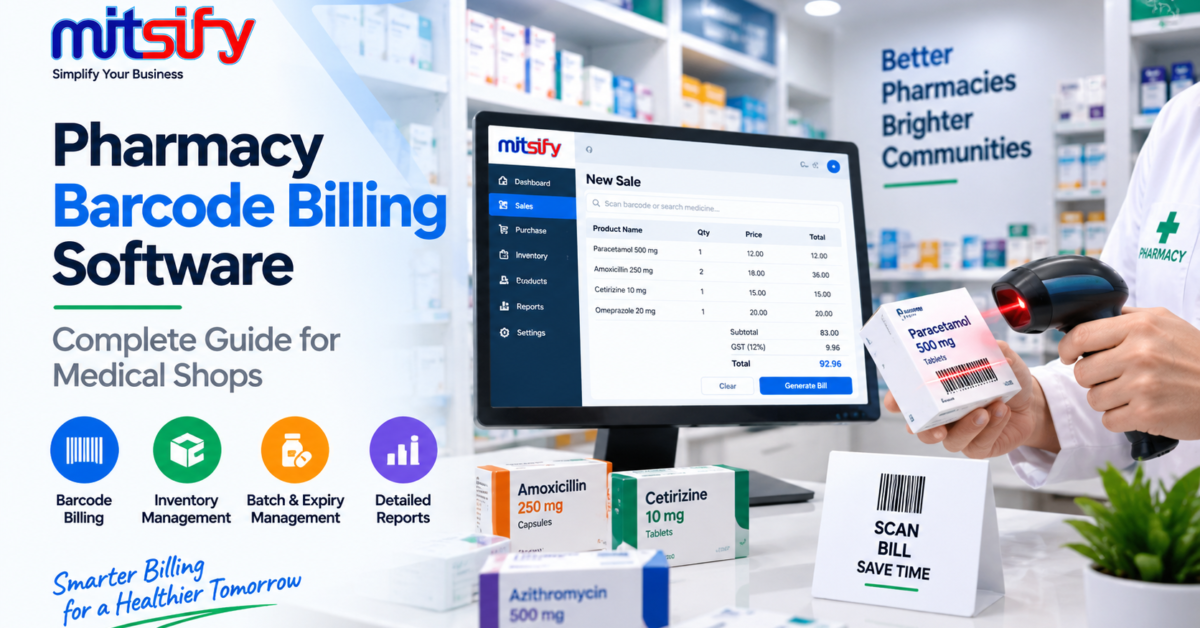
Managing billing efficiently is important for every medical shop and pharmacy. Pharmacy staff may need to process many medicine products, check product details, enter quantities, apply discounts and complete customer bills throughout the day.
When these activities are handled manually, billing can take more time and may require repetitive data entry.
Pharmacy barcode billing software helps medical shops identify products using barcodes and connect product information with the billing process. When barcode billing is integrated with inventory management, pharmacies can also maintain better visibility of stock and sales.
In this guide, we will explain what pharmacy barcode billing software is, how barcode billing works, its key features, benefits and what medical shops should consider before choosing a barcode billing solution.
What Is Pharmacy Barcode Billing Software?
Pharmacy barcode billing software is a digital billing solution that allows medical shops and pharmacies to use product barcodes to identify medicines during sales transactions.
Instead of manually searching for every medicine, staff can scan the barcode of a product where barcode information is available in the system.
The software can then retrieve relevant product information such as:
- Medicine name
- Product details
- MRP
- Selling price
- Available stock
- Batch information
- Expiry information
- GST-related information
This can make the billing process more organized and reduce repetitive product entry.
How Does Barcode Billing Work in a Pharmacy?
Barcode billing uses a barcode scanner or compatible scanning device to identify a product.
A typical workflow can be:
Scan Barcode → Identify Product → Check Details → Enter Quantity → Calculate Bill → Generate Invoice → Update Stock
For example, when a pharmacy staff member scans a medicine barcode, the billing system can identify the corresponding product and display the available information.
The staff can then confirm the quantity and complete the billing transaction.
Why Is Barcode Billing Important for Medical Shops?
Medical shops may manage a large number of medicine products every day.
Searching for each product manually can take additional time, especially during busy hours.
Barcode billing can help pharmacies:
Speed Up Product Identification
Scanning a barcode can be faster than manually searching for a product name.
Reduce Repetitive Data Entry
Product information stored in the system does not need to be entered manually for every transaction.
Improve Billing Efficiency
Faster product identification can help pharmacy staff process customer bills more efficiently.
Reduce Product Selection Errors
Using stored product information can help staff select the intended product during billing.
Connect Billing With Inventory
When barcode billing and inventory management are integrated, sales transactions can be reflected in stock records.
Key Features of Pharmacy Barcode Billing Software
The exact features can vary between pharmacy software solutions. However, the following capabilities can be useful for medical shops.
1. Barcode Product Scanning
The primary feature of barcode billing software is product scanning.
Staff can scan a compatible product barcode and retrieve the corresponding product information from the system.
This reduces the need for manual product searches during billing.
2. Medicine Product Database
A pharmacy billing system should maintain product information in an organized database.
Product records can include:
- Medicine name
- Product code
- Barcode
- MRP
- Selling price
- GST information
- Stock quantity
Maintaining these details allows barcode scanning to work as part of the billing workflow.
3. Fast Medicine Search
Although barcode scanning can speed up billing, pharmacies may still need to search for products manually in some situations.
A useful pharmacy billing system should support both barcode-based identification and product search.
4. Quantity Management
After scanning a medicine, staff can enter or adjust the required quantity.
The billing system can calculate the corresponding amount based on the configured product price.
5. Billing and Inventory Integration
Barcode billing becomes more useful when it is connected with inventory.
When a product is sold, the corresponding stock quantity can be reflected in the inventory.
This creates a connected workflow:
Barcode Scan → Billing → Sale → Stock Update
6. Batch Management
A medicine can be available in multiple batches.
Pharmacy software can maintain batch-related information such as:
- Batch number
- Expiry date
- Stock quantity
- MRP
- Purchase details
Connecting batch information with inventory can help pharmacies maintain better control over their stock.
7. Expiry Management
Expiry information is important for pharmacy inventory.
When batch and expiry information are maintained in the system, pharmacy staff can review products approaching expiry as part of their inventory management process.
8. GST Billing
Pharmacy sales may involve GST-related billing information.
Barcode billing software with GST billing capabilities can connect product, billing and tax-related information in one workflow.
9. Discount Management
Pharmacies may offer discounts on selected products or transactions.
Billing software can allow applicable discounts to be included in the billing calculation.
10. Invoice Generation
After products are scanned and the billing information is confirmed, the system can generate the sales invoice.
Digital invoice generation can make transaction records easier to maintain and retrieve.
11. Sales Reports
Barcode billing software can store sales transactions and provide useful reports.
Depending on the system, reports may include:
- Daily sales
- Product-wise sales
- Sales by period
- Billing reports
- Inventory reports
- Purchase reports
These reports can help pharmacy owners understand their business activity.
Benefits of Using Barcode Billing Software in a Pharmacy
Barcode billing can provide several practical benefits for medical shops.
Faster Billing
Scanning products can reduce the time required to identify medicines during sales.
Reduced Manual Entry
Staff do not need to repeatedly type product information when the barcode is already linked to the product record.
Better Product Identification
Barcode scanning can help retrieve the product associated with the stored barcode information.
Improved Inventory Accuracy
When billing and inventory are integrated, sales can be reflected in stock records.
Easier Stock Management
Product, batch and inventory information can be maintained in a centralized system.
Better Customer Service
Faster billing can help reduce waiting time during busy pharmacy hours.
Organized Sales Records
Digital billing records can make it easier to review previous sales and generate reports.
Manual Billing vs Barcode Billing
| Manual Billing | Barcode Billing |
|---|---|
| Product searched or entered manually | Product identified through barcode |
| More repetitive data entry | Reduced manual entry |
| Can take more time for large bills | Faster product identification |
| Higher dependency on manual entry | Barcode-based product retrieval |
| Separate stock updates may be required | Can integrate with inventory |
| Manual billing records | Digital transaction records |
Barcode billing is particularly useful for medical shops that handle a large number of products and frequent customer transactions.
How to Set Up Barcode Billing in a Pharmacy
A typical barcode billing setup can follow these steps.
Step 1: Add Medicine Products
Add the medicines and products to the pharmacy software.
Step 2: Enter Product Information
Maintain product details such as name, price, GST information and stock.
Step 3: Add Barcode Information
The relevant barcode is associated with the corresponding product record.
Step 4: Connect the Barcode Scanner
A compatible barcode scanning device can be connected to the billing system.
Step 5: Test Product Scanning
Scan products to verify that the correct product information is retrieved.
Step 6: Start Billing
During a sale, scan the products and confirm the required quantities.
Step 7: Generate the Invoice
Complete the billing calculation and generate the customer invoice.
Step 8: Update Inventory
When billing and inventory are integrated, sold quantities can be reflected in the available stock.
Barcode Billing and Pharmacy Inventory Management
Barcode billing works best when it is connected with inventory management.
Without inventory integration, a pharmacy may still use barcode scanning for product identification, but staff may need to maintain stock separately.
With integrated pharmacy software, the workflow can be:
Product → Barcode → Billing → Sales → Inventory → Reports
This can reduce duplicate data entry and provide better visibility over pharmacy operations.
Barcode Billing for Medicine Batches and Expiry Dates
Pharmacies may have the same medicine available in multiple batches.
Each batch can have different expiry dates, stock quantities and other details.
A pharmacy software system that connects barcode billing with batch and expiry management can help staff work with more organized product records.
For example:
Medicine → Barcode → Batch → Expiry → Stock → Billing
This helps connect product identification with the wider pharmacy inventory workflow.
For medical shops looking for integrated pharmacy billing software, Mitsify combines barcode billing with inventory, batch and expiry management in one platform.
Common Challenges Without Barcode Billing
Medical shops that depend entirely on manual product entry may face several challenges.
Slow Product Searching
Finding products manually can take additional time during busy hours.
Repetitive Data Entry
Staff may need to repeatedly enter medicine names and product information.
Product Selection Errors
Manual searches can sometimes make it more difficult to identify the intended product.
Longer Billing Process
Processing multiple products manually can increase billing time.
Separate Inventory Updates
If billing and inventory are not integrated, stock may need to be updated separately.
Barcode billing can help organize these activities into a more connected workflow.
What Should You Look for in Pharmacy Barcode Billing Software?
Before choosing barcode billing software, medical shops should evaluate the system based on their daily requirements.
Barcode Compatibility
The software should support the barcode scanning workflow required by the pharmacy.
Medicine Database
Product information should be easy to add, search and maintain.
Inventory Integration
Billing should connect with inventory so that sales can be reflected in stock records.
Batch and Expiry Management
The system should support batch and expiry information where required.
GST Billing
For applicable businesses, the software should support the required GST billing workflow.
Purchase Management
The system should support purchase transactions and supplier-related workflows.
Reports
Useful sales, purchase and inventory reports should be available.
Ease of Use
Pharmacy staff should be able to use the software efficiently during daily operations.
Barcode Billing for Small and Growing Medical Shops
Barcode billing can be useful for both small and growing pharmacies.
A small medical shop may initially handle a limited number of products. As the business grows, the number of medicines, customers and daily transactions may also increase.
A barcode-enabled billing system can help businesses handle product identification more efficiently as transaction volume increases.
It can be particularly useful for pharmacies that want to improve:
- Billing speed
- Product identification
- Inventory management
- Stock tracking
- Sales records
- Customer service
Pharmacy Barcode Billing with Mitsify
Mitsify Pharmacy Billing Software is designed to help medical shops and pharmacies manage billing and inventory-related operations from one platform.
The pharmacy solution brings together important workflows such as:
- Pharmacy billing
- Barcode billing
- Inventory management
- Batch-wise stock
- Expiry management
- GST billing
- Purchase management
- Supplier payments
- Multi-branch management
- Business reports
By connecting billing and inventory workflows, pharmacies can manage product sales and stock information through a more organized system.
Learn more about Mitsify Pharmacy Billing Software →
Frequently Asked Questions
What is pharmacy barcode billing software?
Pharmacy barcode billing software is a digital billing solution that allows medical shops to identify medicines and products using barcodes and process sales transactions more efficiently.
How does barcode billing help a pharmacy?
Barcode billing can speed up product identification, reduce repetitive data entry and help pharmacy staff process customer bills more efficiently.
Can barcode billing software manage inventory?
Yes. When barcode billing is integrated with inventory management, sales transactions can be reflected in stock records.
Can pharmacy barcode software manage medicine batches?
Yes. Pharmacy software can support batch-wise inventory management and maintain information such as batch numbers, expiry dates and stock quantities.
Can barcode billing software support GST billing?
Yes. Pharmacy billing software can support GST-related billing workflows depending on the features provided by the software.
Is barcode billing useful for small medical shops?
Yes. Barcode billing can help small medical shops improve product identification and billing efficiency, particularly as the number of products and transactions increases.
Can barcode billing software generate reports?
Yes. Depending on the software, businesses can access sales, purchase, inventory and other business reports.
Conclusion
Barcode billing can make medicine identification and billing more efficient for medical shops and pharmacies.
Pharmacy barcode billing software can help businesses reduce repetitive product entry, process sales faster and connect billing with inventory management.
When barcode scanning is combined with billing, batch management, expiry tracking, inventory and reporting, pharmacies can create a more organized workflow for their daily operations.
For medical shops looking to improve billing efficiency and inventory visibility, an integrated pharmacy barcode billing solution can help simplify everyday pharmacy management.